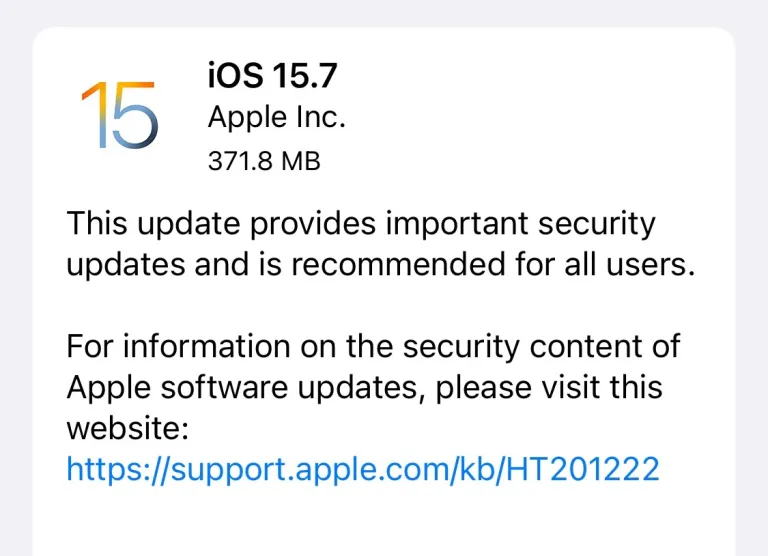
Apple has released iOS 15.7 update for all models of iPhone. iPadOS 15.7 has also been made available today and can now be downloaded on compatible iPads.

iOS 15.7 is an important release that brings security fixes. Apple says this particular update is recommended for all users. So no matter if you are on iPhone, iPad or iPod touch it is recommended that you immediately install iOS 15.7 on your device.
iOS 15.7 has been released over-the-air. On devices that are compatible with the newly released iOS 16.0 users have option to choose between installing iOS 16 and iOS 15.7.

In addition to installing iOS 15.7 over-the-air from the Software Update section of your device, you can also download iOS 15.7 IPSW and iPadOS 15.7 using the official Apple server links shared below.

After downloading the IPSW file you can then use Finder or iTunes in order to install it as an update or restore your device for a fresh install.
Download iOS 15.7 IPSW for iPhone
- iPhone 13 Pro Max
- iPhone 13 Pro
- iPhone 13
- iPhone 13 mini
- iPhone 12 Pro Max
- iPhone 12 Pro
- iPhone 12
- iPhone 12 mini
- iPhone 11 Pro Max
- iPhone 11 Pro
- iPhone 11
- iPhone XS Max
- iPhone XS
- iPhone XR
- iPhone X
- iPhone 8 Plus
- iPhone 8
- iPhone 7 Plus
- iPhone 7
- iPhone SE (3rd generation)
- iPhone SE (2nd generation)
- iPhone SE
- iPhone 6s Plus
- iPhone 6s
- iPod touch (7th generation)
Download iPadOS 15.7 IPSW for iPad
- 12.9-in. iPad Pro (5th generation)
- 12.9-in. iPad Pro (3rd and 4th generations)
- 12.9-in. iPad Pro (2nd generation)
- 12.9-in. iPad Pro (1st generation)
- 11-in. iPad Pro (3rd generation)
- 11-in. iPad Pro (1st and 2nd generations)
- 10.5-in. iPad Pro (1st generation)
- 9.7-in. iPad Pro (1st generation)
- 10.2-in. iPad (9th generation)
- 10.2-in. iPad (8th generation)
- 10.2-in. iPad (7th generation)
- iPad (6th generation)
- iPad (5th generation)
- iPad Air (5th Generation)
- iPad Air (4th generation)
- iPad Air (3rd generation)
- iPad Air 2
- iPad mini (6th generation)
- iPad mini (5th generation)
- iPad mini 4